



Profiles — your story, in your own words
A place to assemble the real you (or your company) in plain English — and a generator that uses it to write posts that actually sound like you. Pasted text stays verbatim, not paraphrased.
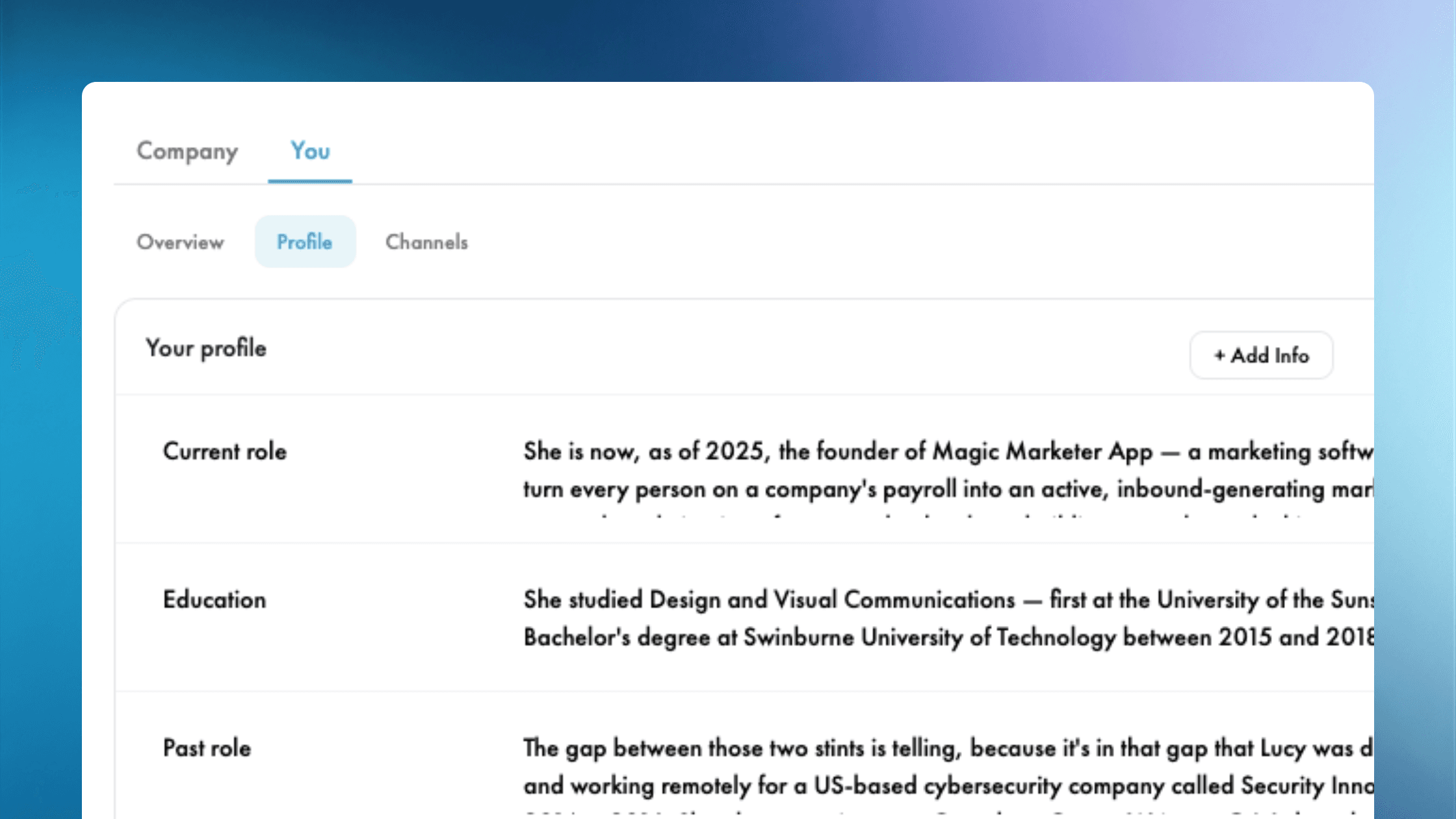

If you've ever read an AI-written post and thought "this could have been about anyone, by anyone" — there's a reason. The system had no idea who you actually are.
It knew your name. It knew your company website. It knew your target audience. But it didn't know you — the one with the specific origin story, the lessons learned the hard way, the customers whose names you remember, the press features you're proud of, the beliefs you'll defend in a meeting.
Without that, you get generic. Today we fix it.
Meet Profiles
There are now two new sub-tabs in Settings: You → Profile for everyone, and Company → Profile for admins on a team plan. Each is a place to assemble who you — or your company — actually is, in plain English, in your own words.
It looks like a simple table: an attribute on the left ("Mission", "Origin story", "Lesson learned", "Customer story", "Press feature"), and the actual content on the right. You can type rows in manually. But the magic is in how you populate it.
Bring your own material
Click + Add Info and you get three input options:
- From PDF — drop in a brand strategy doc, an about-page export, a press kit, your last keynote deck
- From text — paste anything you've already written: a blog post, your LinkedIn About section, a memo, an interview transcript, a podcast episode description
- From URL — give it a link to one of your articles, a podcast episode page, a YouTube watch page, a speaker bio
Magic Marketer® reads what you provide and organises it into labelled rows for you. The mission gets its own row. The origin story gets its own. A customer win gets its own. A lesson learned gets its own.
The bit we're proudest of: it doesn't rewrite you
Most AI tools "process" content — paraphrasing, condensing, "cleaning up". The result is that your voice goes in and a marketing-translation comes out. You can feel it when you read posts written this way. They sound like third-party PR.
We deliberately didn't do that.
When you import a passage, Magic Marketer® copies your exact words into the row. It only chooses the label. So if you paste your origin story in your voice — with your phrasing, your jokes, your specific turn of phrase — that's exactly what lives in the profile. The system labels it "Origin story" and gets out of the way.
You can still edit any row inline — fix a typo, tighten a sentence, delete what doesn't belong. It's your profile.
Now the part that changes posts
Here's where it gets fun.
Every post Magic Marketer® writes for you is now anchored to one specific row from your profile. Not "informed by" — about. If today's anchor is your Origin story, today's post tells that story. If tomorrow's anchor is your Mission, tomorrow's post is about that.
In the live Create Post flow, when you click Continue, a row is picked at random from your profile — different click, different anchor. Regenerate the caption and you'll often get a completely different angle, drawing on a completely different part of your story.
In your Monday drafts, the picking is deterministic instead of random. Each draft in the week gets a different row, rotating through your profile so every story eventually gets a post about it. Twelve rows of profile? You'll go twelve days before a single anchor repeats.
This stacks with the rotations you already have. You've already got target-audience rotation (each draft addresses a different audience problem or goal). You've already got funnel-stage rotation (each draft hits a TOFU, MOFU, or BOFU level of awareness). Now you have anchor rotation too. Over a week, your drafts hit different rows × different audience facets × different funnel stages — and combinations stop repeating for a very long time.
For teams
If you're on a company plan, admins build the company's brand profile under Company → Profile — mission, values, what we do, who we serve, customer stories, press, all in the company's own voice. The company's Monday drafts then anchor on those rows.
Everyone — admins and team members alike — builds their own personal profile under You → Profile. The personal drafts each teammate receives anchor on their own profile, not the company's. The company speaks for the company; the people speak for themselves.
What if my profile is empty?
It still works. With nothing in the profile, the generator falls back to its previous behaviour — it'll write a believable post using your name, role, company and audience. Nothing breaks.
The moment you drop your first PDF in, the quality of every future post quietly lifts. The more material you give it, the more specific and you-flavoured the posts become.
Get started
Open Magic Marketer®, go to Settings, click You → Profile (or Company → Profile if you're an admin), and hit + Add Info. Start with whatever you've already got — your LinkedIn About section, your last big blog post, a podcast episode description, a press feature. Five minutes is enough to make a difference.
Not on Magic Marketer® yet? Get started with Magic Marketer® and bring your story with you.

From the founder
Hello, I'm Lucy Bloomfield.
I built Magic Marketer® for experts who have something to say but don't want to stare at a blank screen. My mission is to help 15,000 experts build visibility and credibility, without turning content into a second job.
Free for 7 days. Cancel anytime before day 7 and you won't be charged. We'll remind you before your trial ends.