



A drag-and-drop social media calendar you can see at a glance
Drag a scheduled post to a new day, reschedule, duplicate or delete it from the calendar, and see every post as a visual card on your phone.
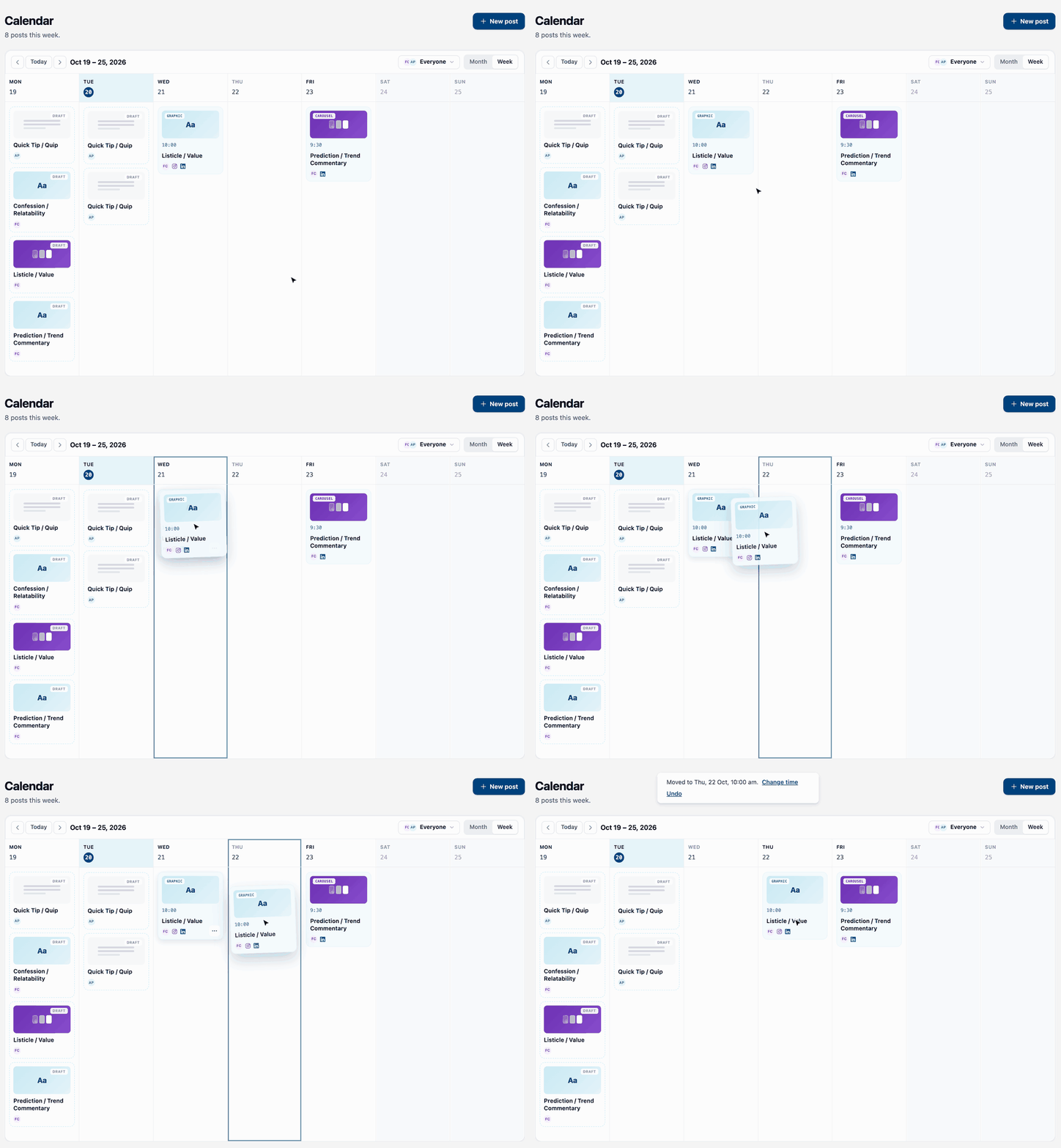

You know the moment. Something comes up on Thursday and Thursday's post needs to go out Friday instead. Until now that meant opening the post, finding the date, retyping it and hoping you got the time right.
Now you just move it.
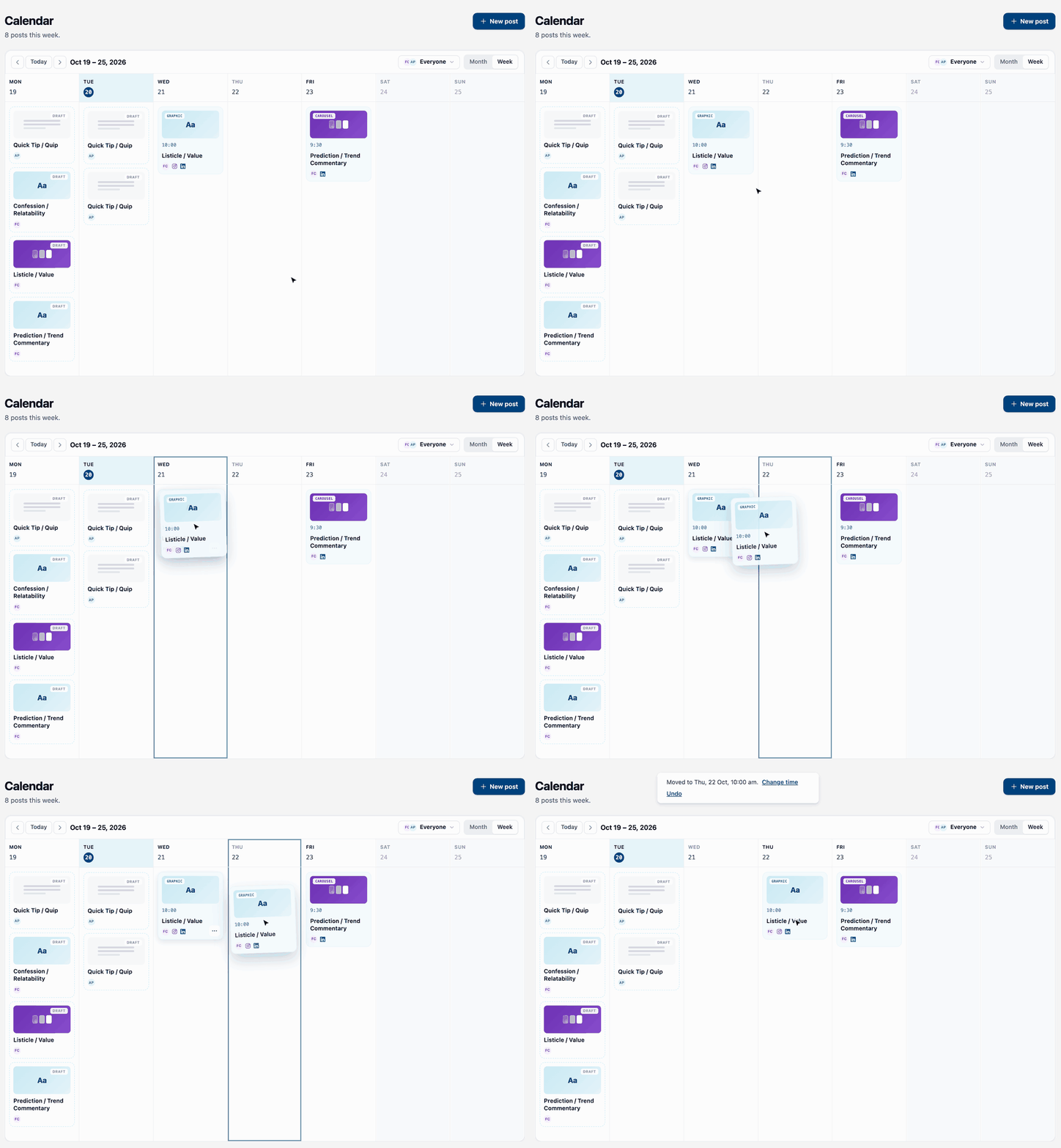
What's new in the calendar?
Three things, all on the calendar you already use.
- Drag and drop. On a computer, pick up a scheduled post and drop it on another day, in week view or month view. It keeps its time of day. The day you're over lights up as you go.
- A "…" menu on every post. Duplicate it or delete it. On a scheduled post, Reschedule… picks a new day and time.
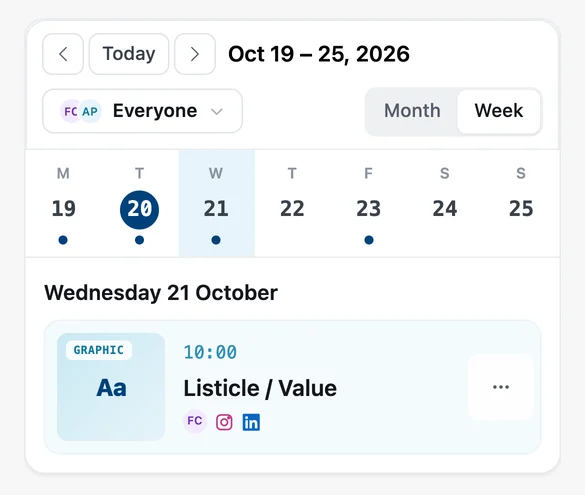
- Visual cards on your phone. Tap a day and its posts show as cards with the creative, the time and the channels. You can see what's going out without opening a single post.
How does it work on a phone?
Tap the day, tap the "…" on the post, choose Reschedule…, pick the date and time, and tap Reschedule. Done. No dragging a card across a small screen with your thumb (your thumb has enough to do).
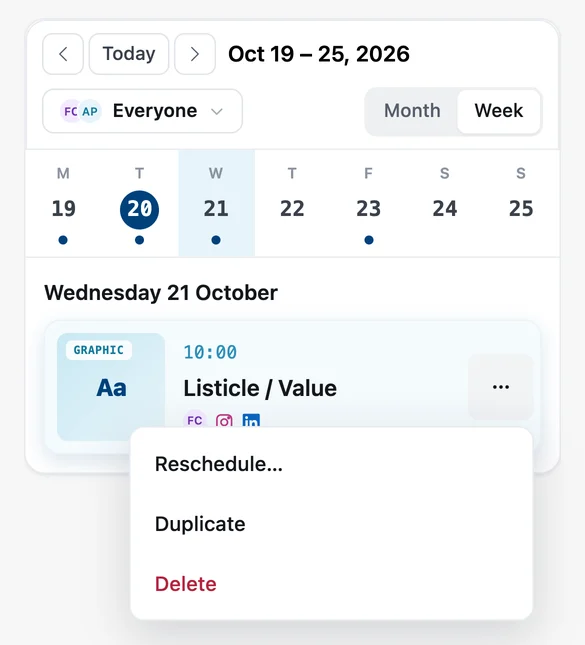
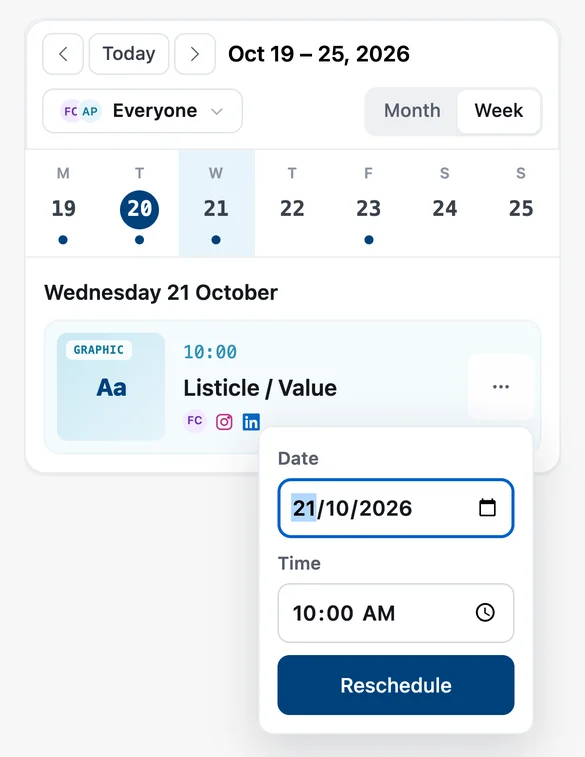
Duplicate and Delete live in the same menu, with a tap target big enough for real fingers.
What if I move the wrong post?
Hit Undo. For a few seconds after every move, Undo puts the post back where it was. Or tap Change time to keep the new day and pick a different time.
Moving a scheduled post goes to the publisher first and only sticks once it's accepted. If it can't be moved, the card goes back where it was and you see why. No guessing whether Friday's post is really on Friday.
What can and can't move?
- Scheduled posts move to today or any day after. A post can't move into the past.
- Drafts don't move on the calendar yet. Schedule the draft, then drag it wherever you like.
- Published posts have already gone out, so they stay put. You can still duplicate one to post it again.
Where do I find it?
Open Calendar in Magic Marketer®. The step-by-step is in the docs: Your calendar.
Not on Magic Marketer® yet? Free for 7 days. Cancel anytime before day 7 and you won't be charged.

About the author
Hello, I'm Lucy Bloomfield - Founder of Magic Marketer®
I built Magic Marketer® for experts who have something to say but don't want to stare at a blank screen. You've got the experience and the stories; you just need one clear idea a day and a simple way to show up.
My mission is to help 15,000 professionals build visibility and credibility - without turning content into a second job. One decision. Daily results.
Work with me
Join Magic Marketer®. Free for 7 days. Cancel anytime before day 7 and you won't be charged.
Start my 7-day free trial